What's in a report

A verdict up front. Evidence one click away.

This page is a walkthrough of what an Evaluat test report contains. It is not a gallery of public customer runs. Every test produces a shareable report with five forensic views for your engineers, and you can generate an Executive Summary on top.

The verdict

Start with the Executive Summary.

A plain-language verdict with a health score, the key findings ranked by severity, and recommended fixes, grounded in the run data. It turns a dense report into a two-minute read you can share with stakeholders. Generated on demand.
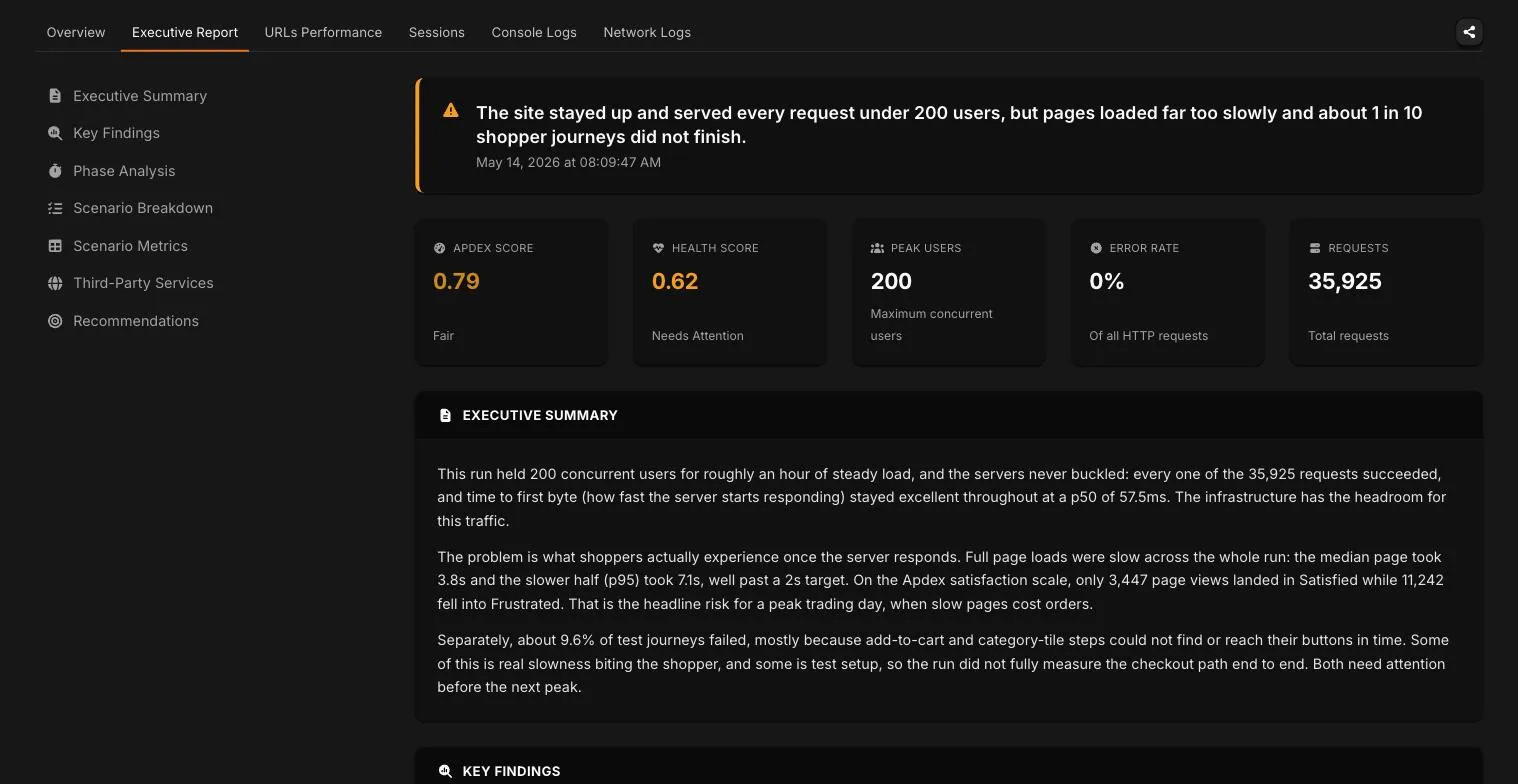
Illustrative Executive Summary with sample data, shown to demonstrate the format. Your report is generated from your own run. Executive Summary is not available on the Starter plan.

In every report

Five views, from one real-browser run.

Overview

The verdict banner on top, then the headline metrics for the run: Apdex, peak users, error rate, and page load.

Per-URL performance

Every URL in the journey broken out, so you can see exactly which step slowed down under load.

Sessions with video

A recorded session for every virtual user, so you can watch the exact run that failed instead of inferring it from an average.

Console logs

The browser console output captured per session, errors and warnings included.

Network logs

The network activity captured per session, so you can see what was slow or failing on the wire.

The five views are the engineering half. How each is captured is on How it works.

Get a report for your site

Test in real browsers.
Debug in real sessions.

Want a report with your data in it?

Run a free Pulse speed test for an instant real-browser report on one page, or book a demo and watch a small test run live on your real customer journey.